

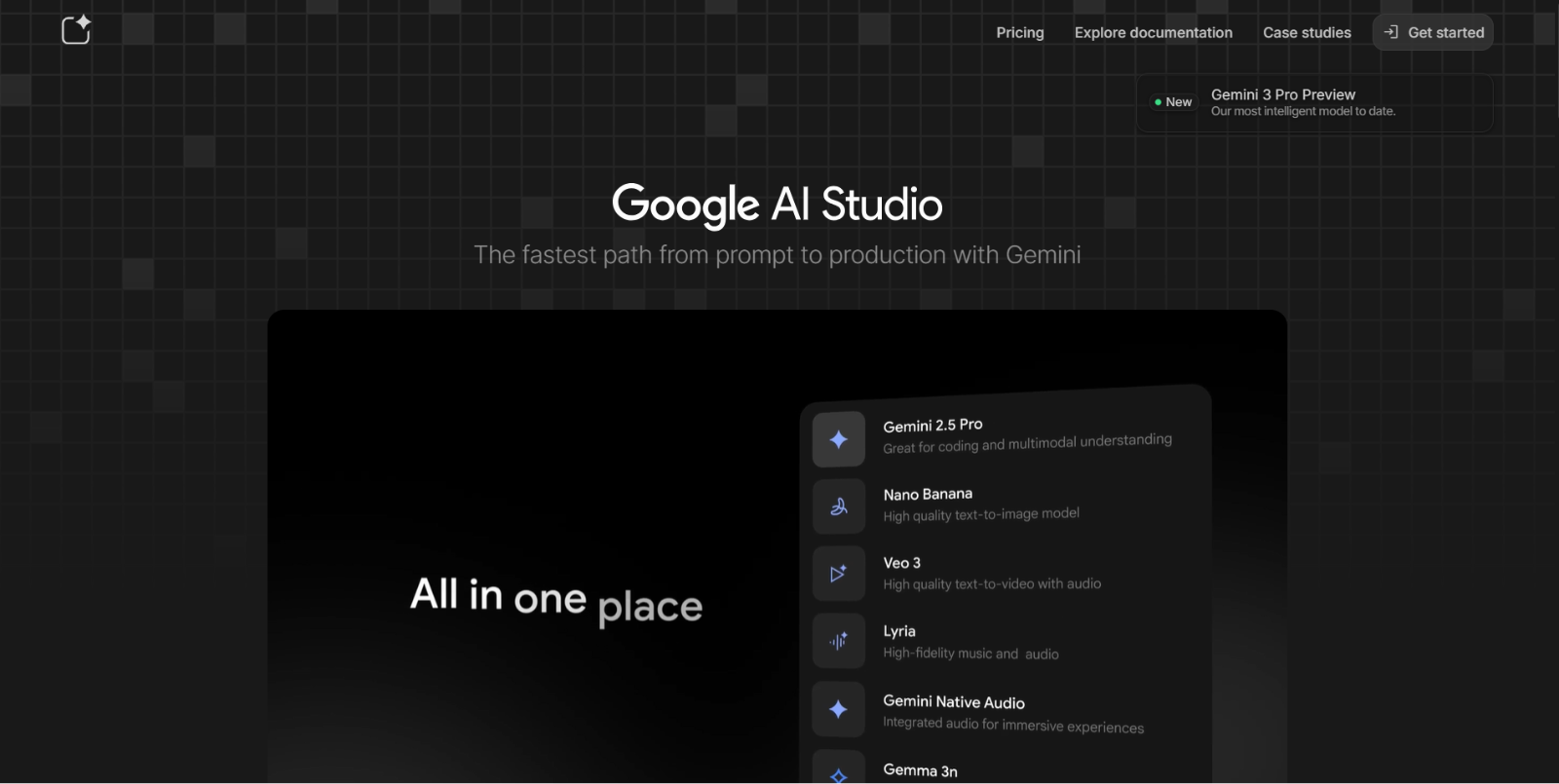
What is Google AI Studio?
Google AI Studio is a web-based integrated development environment (IDE) created by Google that lets users experiment, prototype, and build AI-powered applications using Google’s Gemini multimodal models — all within a single browser interface. It supports creating with text, images, audio, and video, enabling developers and creators to explore and test generative AI workflows without complex setup.
AI Studio is designed as a central workspace where you can run prompts, evaluate model outputs, and generate code for use with the Gemini API. It unifies multimodal AI capabilities — including text generation, image generation, video creation, audio features, and prompt engineering — in one platform.
Top Features of Google AI Studio
- Multimodal AI Support: Work with text, images, audio, and video in a single environment — experiment with different media types using Gemini models.
Wikipedia - Prompt Playground & Testing: Test, refine, and optimize prompts interactively before deploying them in real applications, with multi-turn chat and configurable model parameters.
Google AI for Developers - Build & Export Code: Once you’ve designed an AI workflow or tested a prompt, you can generate production-ready code (e.g., for React apps or API integration) directly from the interface.
Google AI for Developers - Video & Audio Generation: Use advanced models — such as those in the Veo family — to create high-quality video clips from text prompts, and synthesize audio content.
Google AI for Developers - Low-Code / No-Code Workflow: Thanks to intuitive builders and prompt UIs, non-technical users can experiment with generative AI without writing extensive setup code.
KDnuggets - Model Selection & Parameters: Choose different Gemini and related models, tune temperature and other parameters, and compare results side-by-side.
Wikipedia - Interactive Real-Time Tools: Some modes — like voice and screen capture with AI interpretation — allow richer, context-aware interactions when building advanced workflows.
Supported Models in Google AI Studio
Google AI Studio provides access to the latest Gemini model family and supporting AI tools, including:
- Gemini 3 Pro Preview: Advanced reasoning, multimodal understanding, coding capabilities, and agent-style interactions.
- Gemini 3 Flash Preview: Lightweight, fast-response model ideal for high-volume request scenarios.
- Nano Banana Pro: State-of-the-art image generation and editing with precision visual control.
- Veo 3.1: AI video generation with animation and visual storytelling capabilities.
- Gemini Live API: Real-time conversational and voice-driven applications.
- Gemini TTS Models: Convert text into high-quality natural speech output.
Each model includes configurable parameters such as input/output pricing, reasoning level, resolution, and knowledge cutoff information — making experimentation more transparent and production-ready.
Playground, Build Hub, and API Workflow
Google AI Studio is more than a model playground — it functions as a full development lifecycle hub:
- Playground → test prompts and refine behavior
- Build AI Apps → assemble workflows and features
- Monitor API Usage → manage quotas and performance
- Get API Key → connect to production environments
- Export Code → deploy directly to applications
This streamlined flow allows teams to prototype inside the browser and move to deployment without rebuilding their project from scratch.
How Google AI Studio Works (Quick Overview)
- Open the Studio workspace in your browser.
- Select a model (text, image, video, or audio).
- Enter your prompt and parameters, adjusting settings to refine outputs.
- Run the model to see immediate results.
- Generate code or deploy the outputs via APIs or to production workflows using Gemini API integrations.
This streamlined workflow makes it easy to prototype and test AI concepts quickly without separate environments for code, API testing, or model evaluation.
Google AI Studio Pricing & Access
Google AI Studio is primarily free to use directly through the web interface, with no upfront subscription required for basic experimentation.
- Free Access: Users can run prompts and explore multimodal models at no charge, though rate limits and quotas apply to ensure fair use.
- API & Production Usage: When scaling or building production applications, usage transitions to pay-as-you-go Gemini API pricing via Google Cloud billing — this is separate from the free Studio interface.
There’s no traditional tiered subscription for Studio itself — instead, it’s a free exploratory workspace backed by Google’s cloud AI infrastructure, making it ideal for developers, researchers, and creators alike.
Who Should Use Google AI Studio?
Google AI Studio is ideally suited for:
- Developers and engineers prototyping generative AI apps or integrations.
- AI researchers exploring Gemini model behavior and outputs.
- Content creators and designers experimenting with multimodal AI (text, image, audio, video).
- Students and learners wanting hands-on experience with advanced language and media models.
- Teams building production-ready AI workflows that eventually integrate with APIs or apps.
Whether you’re just starting with generative AI or building complex multimodal solutions, AI Studio provides a unified place to explore and test ideas efficiently.
Conclusion
Google AI Studio is a powerful browser-based AI development playground that brings together Google’s latest Gemini models and multimodal capabilities into a single, intuitive interface. Offering free access for prompt design, model testing, and prototype code generation, it lowers the barriers to experimenting with cutting-edge generative technologies. When paired with API usage for production workflows, it forms a complete pathway from exploration to deployment — making it valuable for developers, creators, and anyone building AI-enhanced applications.
Frequently Asked Questions
Do I need coding skills to use Google AI Studio?
No — you can experiment with prompts and models directly in the browser. However, coding is required if you plan to export workflows or integrate the Gemini API into applications.
Is Google AI Studio free to use?
Yes — the Studio interface is free for experimentation with usage limits. Production usage is billed separately through the Gemini API on a pay-as-you-go basis.
What models are available in Google AI Studio?
Google AI Studio supports Gemini multimodal models and related variants for text, image, audio, and video workflows, depending on availability and region.
Can I export my work from AI Studio into real applications?
Yes — AI Studio can generate ready-to-use code snippets (e.g., JavaScript, Python, etc.) for integrating your prompts and workflows into apps via the Gemini API.
Who is Google AI Studio designed for?
It is designed for developers, researchers, students, and creators who want to prototype, test, and iterate on AI workflows before moving to production.
Does Google AI Studio support multimodal input?
Yes — depending on the chosen model, you can work with text, images, audio, and video-based prompts within the same environment.