What is Granola?
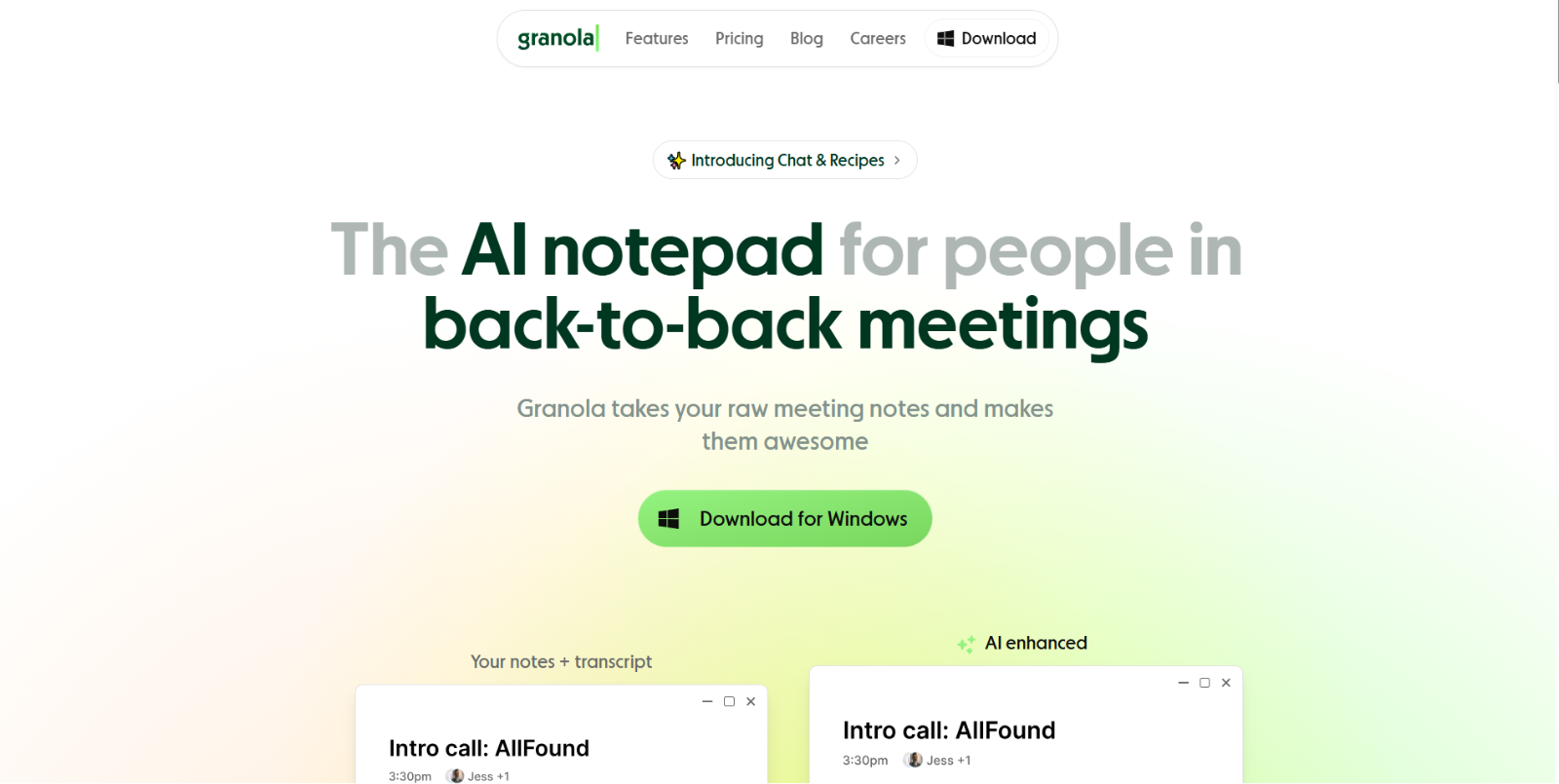
Granola is an AI-driven notepad designed for professionals with back-to-back meetings. It quietly listens to calls (e.g. Zoom, Google Meet), transcribes the conversation, and then enhances your rough notes — or even generates structured summaries and actionable insights automatically. Instead of you juggling note-taking while participating, Granola captures everything and delivers clean, editable output that you or your team can use right away.
Granola aims to free you from manual note-taking so you can stay present in meetings — while ensuring every important comment, decision, or task is captured perfectly.
Top Features of Granola
- Real-time Transcription & Automatic Notes: Granola listens to your meeting’s audio and delivers a transcript + raw notes quietly, without needing a visible “bot” in the call — no awkwardness for other participants.
- AI-Enhanced Summaries & Structured Notes: After the meeting ends, Granola transforms your notes (or just the transcript) into well-formatted summaries, with clear sections for key takeaways, decisions, action items, and next steps — saving you time and improving clarity.
- Editable Notepad + “Ask Granola” Chat: You can jot down quick notes during the meeting, and Granola will incorporate them into the final output. Also, using its “Chat” or “Ask Granola” feature, you can query the transcript — e.g. “What decisions were made?” or “List action items” — and get instant answers.
- Custom Templates & Flexible Output Formats: Whether it’s a sales call, stand-up meeting, user interview or investor pitch — Granola offers templates for different meeting types, or you can build your own. Notes are formatted cleanly for easy sharing.
- Team Collaboration & Shared Folders (Business / Enterprise Plans): For teams, Granola supports shared workspaces where transcripts and notes are organized collaboratively, with admin controls, consolidated billing, and a unified space for meeting history.
- Quick Setup & Privacy-Friendly (No Bots Joining Meetings): Granola doesn’t rely on meeting-bot accounts: it captures system audio locally, so participants don’t see unfamiliar bot user names — enhancing privacy and reducing friction.
- Editable Summaries & Post-Meeting Tools: After generating notes, you can ask Granola to tweak tone, shorten or expand summaries, correct names/numbers or tailor output to different audiences — directly via chat commands.
Who Should Use Granola?
- Busy Professionals & Founders — people juggling many calls/meetings who need to preserve context and not rely on manual note-taking.
- Sales, Customer-facing, or Interview-Heavy Roles — roles that depend on accurate meeting summaries, follow-ups, and tracking decisions across calls.
- Teams & Startups — where sharing structured notes, ensuring alignment, and keeping everyone on the same page matters.
- Project Managers & Product Teams — for tracking meeting outcomes, action items, feedback cycles, and historical context.
- Freelancers / Consultants — who often switch clients, meetings, and projects — Granola helps keep client history organized and searchable.
- Anyone who hates manual note-taking — Granola removes the friction of recording, writing, organizing, and summarizing meetings manually.
Granola Pricing Plans
- Basic — $0/user/month: A free starter plan that includes AI meeting notes, limited history, shared folders, customizable templates, and multi-language support.
- Business — $14/user/month: Offers unlimited meeting notes and history, advanced AI thinking models, deeper integrations (Attio, Notion, Slack, HubSpot, Airtable, Zapier), plus centralized billing and user management.
- Enterprise — $35/user/month: Designed for larger companies with enterprise-grade security, SSO, advanced admin controls, org-wide analytics, deletion policies, meeting link sharing controls, and priority support.
For the latest pricing information, please refer to Granola’s official pricing page.
Conclusion
Granola offers a well-thought-out, privacy-conscious solution for anyone drowning in meetings — turning transient conversations into structured, actionable documentation. Its combination of real-time transcription, AI-powered summaries, editable notes, and collaborative team features make it a strong contender among AI note-takers.
If your workflow involves many calls, frequent follow-ups, or you simply want to reclaim focus during meetings, Granola can significantly boost productivity and clarity. That said, limitations around media replay (no audio/video), imperfect speaker-labeling, and evolving integrations mean it may not yet be ideal for every scenario — especially where accuracy, compliance, or deep analytics are essential.
Overall, for professionals, small teams, and knowledge workers seeking an easy-to-use, effective meeting assistant, Granola is a compelling option that balances simplicity, power, and human-centric design.